
01
Describe
Describe the scene.
Tell Arcade Composer the setting, mood, encounter, and energy in plain language.
Turn a boss fight, biome, or mood into an editable game soundtrack in minutes—then reshape every note, synth, pattern, and section in your browser.
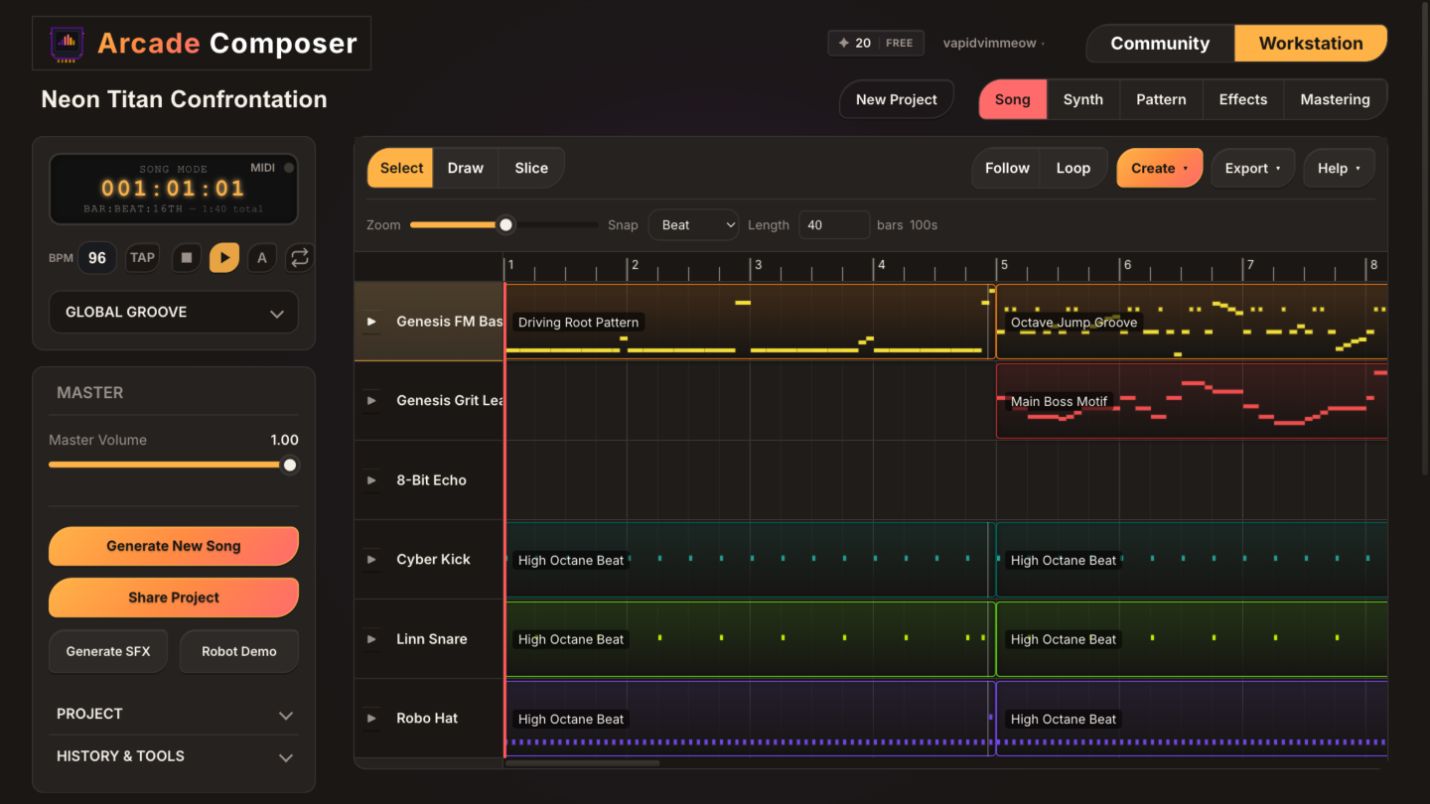
Inside the workstation
Every generation opens as a real project—not a flattened audio file. Arrange the song, rewrite notes, and design sounds until the music fits your game.
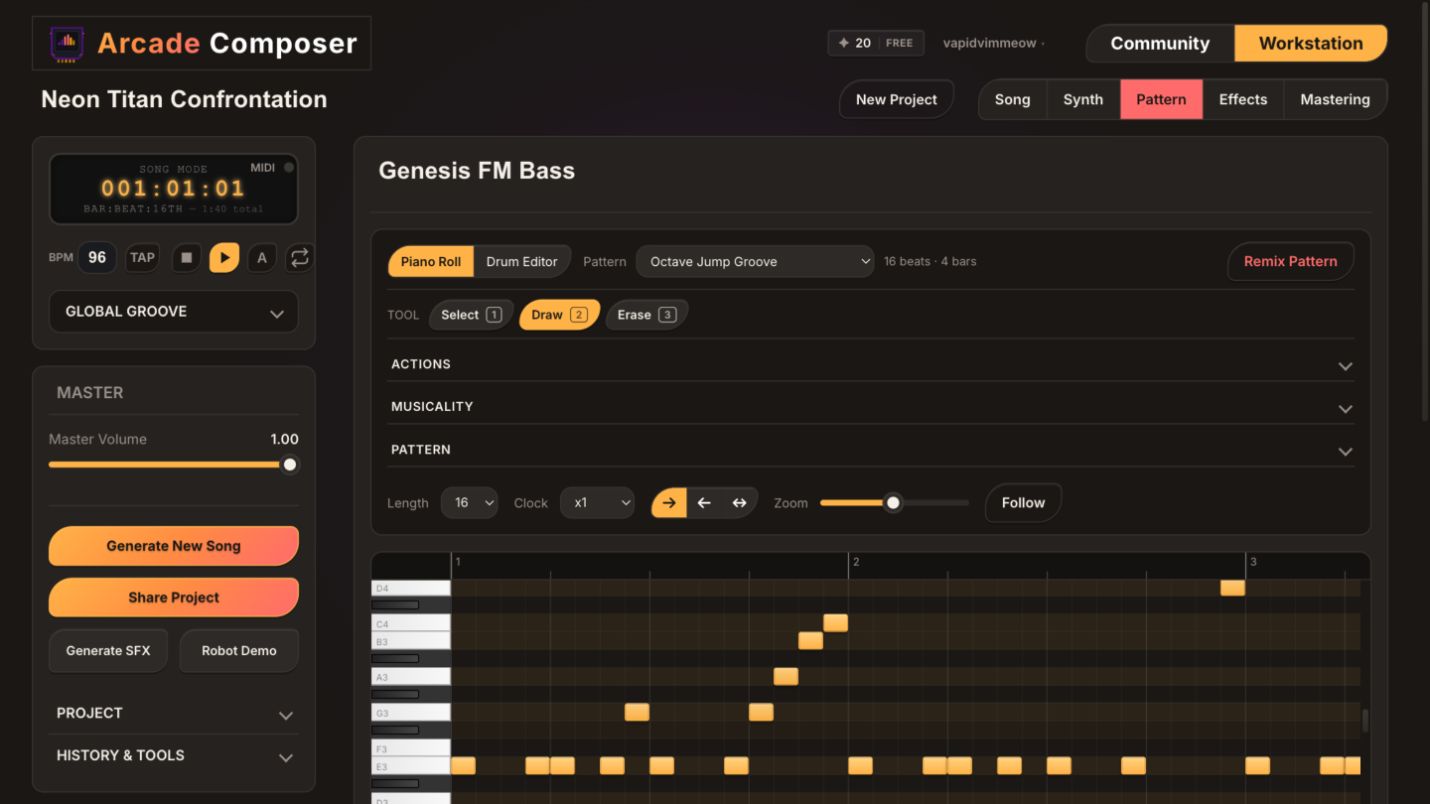
Rewrite pitch, rhythm, duration, and velocity inside the piano roll.
Fully editable: notes, synths, arrangement, effects, and mix.
Export: MIDI, stems, WAV, MP3, and OGG.
Real projects · full tracks
Each track started as a scene brief and remains a project you can open and inspect in the workstation.
A towering mech wakes under violet lightning. FM bass, grit lead, and relentless arcade drums turn the arena into a warning siren.
Neon Titan Confrontation ready to play.
From scene to soundtrack
Start with intent. Let AI create a structured first draft. Keep shaping it until it fits the game.
Tell Arcade Composer the setting, mood, encounter, and energy in plain language.
Get drums, bass, melody, patterns, and song sections—not one flattened audio file.
Rewrite notes, design patches, rearrange sections, then export audio, stems, or MIDI.
Plans
Every plan includes the complete workstation, unlimited manual composing, exports, and royalty-free commercial use.
Compose manually without limits, with 30 credits each month for AI generations.
Create your first trackFor solo developers who generate, vary, and iterate regularly.
Choose CreatorFor creators who need more AI generations across multiple projects.
Choose ProBefore you launch
Open the app free and see the complete workflow in your browser.
Create your first trackArcade Composer is a browser-based AI game music generator and editable music workstation. Describe a scene or mood, generate a structured soundtrack draft, then edit the notes, patterns, synths, arrangement, effects, and mix.
Arcade Composer is for anyone who wants to create video game–themed music with AI—including game developers, composers, hobbyists, content creators, streamers, and people exploring chiptune or electronic music.
Yes. Every generation opens as a structured project. Edit the arrangement, patterns, notes, synth patches, effects, and mix.
Yes. Music you create is royalty-free for personal and commercial use in games, videos, podcasts, streams, trailers, and other projects. Attribution is optional.
Export MIDI, stems, WAV, MP3, and OGG. MIDI and stems let you continue production in another tool.
No. Arcade Composer runs in a modern desktop browser; no DAW installation is required.
AI credits are used for optional AI actions such as generating tracks, patterns, and rearrangements. Manual composing does not use credits. Credits replenish each billing cycle and do not roll over.
Chiptune and retro game music are core strengths. You can also create synthwave, cinematic, ambient, dark sci-fi, and other electronic sound worlds.
Yes. Arcade Composer includes a full synth engine with oscillators, filters, envelopes, LFOs, modulation, effects, and editable patches.
Yes. Manual composing and project creation are unlimited. AI credits are only used for optional generation actions, so you can build, edit, save, and export projects without using AI.
Workstation ready
Describe the scene, shape the arrangement, and export a soundtrack made for your game.
Create your first track No install · Free plan · Commercial use included