
Every game soundtrack is really several different jobs wearing one name. A boss theme has to spike adrenaline and telegraph danger. A biome theme has to loop for ten minutes without becoming annoying while still telling the player “you are somewhere specific.” A town theme has to feel safe enough that players want to linger in a menu-heavy hub. Writing all three the same way — same tempo, same density, same mixing choices — is the fastest way to make a soundtrack feel generic even when the individual tracks are well produced.
This guide walks through how to build each of these three theme types in ArcadeComposer, a browser-based music workstation with a synth engine, pattern sequencer, song arrangement timeline, effects/mastering chain, MIDI I/O, and optional AI composition tools. Each section covers the specific sound design, scale, arrangement, and mixing choices that separate a convincing boss/biome/town theme from a track that’s merely “fine.”
Why These Three Themes Need Different Approaches
Three musical jobs
Boss: urgency, forward impact, and a convincing phase change.
Biome: place, atmosphere, and movement that survives a long loop.
Town: warmth, melodic comfort, and enough variation for players to linger.
The production choices should follow the gameplay job—not a generic genre preset.
Before getting into each one, it helps to name what actually differs between them musically:
- Density — boss themes are usually the densest (drums, bass, lead, harmony all fighting for attention); town themes are the sparsest (a few plucky, chime-like voices with a lot of space); biome themes sit in between, prioritizing atmosphere over rhythm.
- Harmonic color — town themes lean on friendly, familiar scales (major, major pentatonic); biome themes benefit from more unusual scales that suggest an unfamiliar place; boss themes often lean minor/harmonic-minor for tension, sometimes with dissonance introduced late in a fight.
- Loop behavior — town and biome themes need to loop indefinitely and unobtrusively; boss themes often need a phase change partway through (health-gated “phase 2”) rather than a single flat loop.
- Mix approach — boss themes want punch and forward presence; biome themes want space and air; town themes want warmth without competing with UI/dialogue sound.
Everything below maps those differences onto specific tools in the app.
A theme’s gameplay job should decide its density, harmony, loop behavior, and mix before its genre does.
Part 1: Building a Boss Theme
A boss theme’s job is to raise stakes. That comes from arrangement density, a driving rhythm section, and a lead voice with real bite — not just from playing faster.
Start from an aggressive lead preset. The preset library includes leads built specifically for this role — Boss Battle Lead uses a mono voice with portamento and vibrato, a resonant low-pass filter with a fast envelope, and light distortion for edge, so it already reads as “aggressive melodic lead” before you change a single knob. Other combat-flavored options like Sync Razor Lead, Sync Screamer Lead, and Neon Blade Lead use hard sync and filter drive for a harder, more cutting tone if you want something rawer.
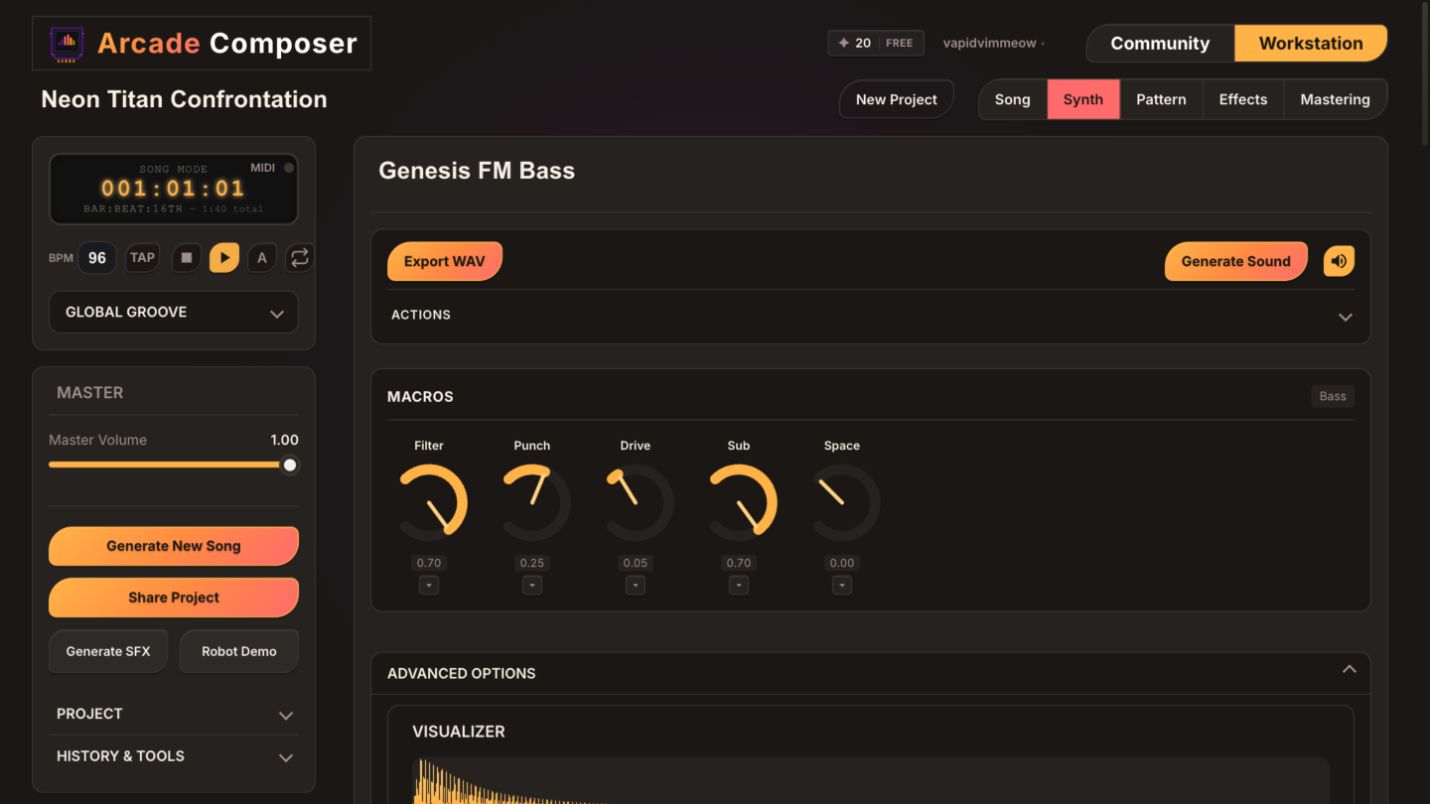
Shape it with the Drive and Resonance macros. Under the Leads category, the Drive macro pushes distortionMix/distortionDrive together, and Resonance pushes filter emphasis (lpFilterQ) — these two knobs alone are usually enough to take a lead from “melodic” to “menacing” without opening the full parameter panel. Add a touch of the Vibrato macro for instability, or dial Space down (less reverb/delay) to keep the lead feeling close and confrontational rather than distant.
Use mono voice mode and portamento for a “snarling” lead line. Boss themes benefit from a monophonic lead that glides between notes (portamentoTime) rather than a polyphonic pad-like lead — it reads as a single aggressive voice rather than a chord instrument, and it’s exactly how Boss Battle Lead is built.
Pick a tense scale. In the scale/key panel, harmonic_minor and hungarian_minor both raise the tension level over plain natural minor because of their sharpened tone right below the octave — a small change that makes melodic lines feel more urgent without needing extra notes or faster tempo. Turning on scale lock keeps every note you enter in the sequencer inside that scale automatically, which matters more here than anywhere else since a single wrong note can undercut the tension you’re building.
Lean on the rhythm section, not just the lead. Percussion presets like TR Boom, Gated Tom, and Cyber Kick, combined with the Retro Percussion category’s Punch macro (sustainPunch + filterEnvAmount) and a fast Decay setting, give a tight, aggressive low end. Keep the bass mostly root-note-driven and rhythmically locked to the kick — a busy bassline competes with the lead instead of supporting it.
Build a phase change with automation and a second pattern. Real boss fights escalate. Rather than looping one static section for the whole fight, give the lead or pad instrument a second, more intense pattern, and use per-parameter automation (drawn directly onto a parameter lane, in beats) to ramp something like filter cutoff, distortion drive, or delay send upward across a section — a rising filter sweep into the “phase 2” pattern sells an intensity increase far better than simply getting louder.
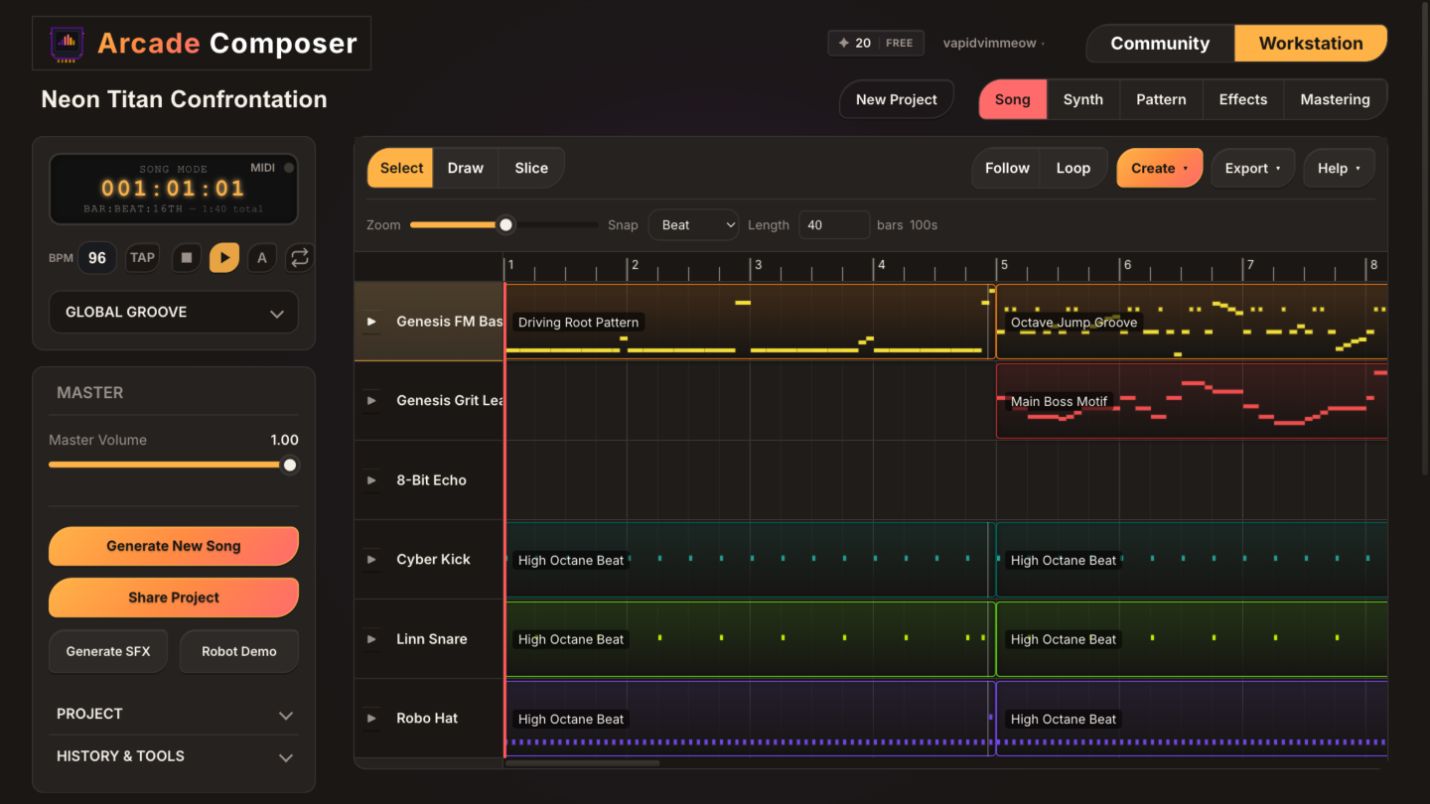
Arrange for a fight, not a song. On the song timeline, a practical boss structure is: a short intro stinger (telegraphs the fight starting), Loop A (phase 1, moderate intensity), Loop B (phase 2, denser/faster-feeling — reuse Loop A’s instruments with the automated ramp applied), and a short victory/defeat stinger. Because patterns are reusable clips, you can build phase 1 and phase 2 as two versions of the same instrument set instead of writing two unrelated tracks.
Mix it loud and forward. In the mastering panel, presets like Loud & Aggressive or Electronic apply faster limiter attack/release and more upfront EQ shaping than the gentler presets — appropriate for a boss theme, where you want punch and clarity over politeness. If the theme is meant to sound retro, the console-specific presets (NES, SNES, Genesis, Arcade FM) shape saturation and EQ to match that hardware’s character while still keeping things forward-sounding.
If you want an AI-assisted first draft of a boss theme, the AI Composer’s Technical Titan persona is built specifically as a “boss battle specialist,” and pairs well with the Loop-Based or Through-Composed song structure templates for a fight that escalates rather than repeats identically.
Part 2: Building a Biome Theme
A biome theme’s job is to make a place feel specific — a forest, a cave system, a frozen tundra, an alien world — while looping quietly in the background for as long as the player stays there. Atmosphere and restraint matter more here than melody.
Start from Pads & Drones, not Leads. This category’s macros are built for atmosphere: Attack (fade-in time, so notes bloom rather than snap in), Movement (LFO modulation depth, for a pad that slowly evolves instead of sitting static), Space (reverb amount), and Air (a noise/breath layer for texture). Presets like Crystal Cavern Pad, Moonlit Lagoon Pad, and Cosmic Drift Pad are built with exactly this kind of slow-moving, textured design and make strong biome starting points — turn Movement and Space up for something vast and alien, or keep both low and let Air do the work for something colder and drier.
Choose a scale that signals “somewhere unfamiliar.” This is one of the most underused tools for biome identity. The scale/key system includes far more than major/minor — dorian and mixolydian read as slightly unresolved and modal (good for temperate forests or plains); phrygian and spanish_phrygian carry a darker, more exotic edge (good for deserts or ruins); japanese_in_sen, japanese_hirajoshi, and japanese_yo have a distinct pentatonic character suited to serene or sparse environments; hungarian_minor and arabic both carry a raised, tense interval useful for harsher biomes like volcanic or corrupted areas; whole_tone removes the usual pull toward a home note entirely, which is effective for dreamlike, floating, or underwater areas. Picking one of these instead of defaulting to natural minor is often the single biggest lever for making a biome theme sound like it belongs to a specific place instead of “generic ambient.”
Keep percussion optional, and if present, keep it soft and sparse. Many biome themes work better with no drum pattern at all, or with a very thin one — a single soft hit every few bars rather than a locked groove. If you do want rhythm, the Retro Percussion category’s Tone macro (filter brightness) turned down and Decay turned up gives a distant, rounded hit rather than a punchy one.
Layer a second melodic voice sparingly. A pluck like Crystal Cavern Pluck or a soft key can sit on top of the pad and play a short, slow, repeating motif — four to six notes, several beats apart, is usually enough. Because each instrument can hold multiple patterns, you can write a “quiet” variation and a slightly more active variation of the same motif for subtle variety over a long loop without writing an entirely new part.
Automate slow movement instead of static drone. A pad with automation slowly opening the filter or increasing an LFO depth over 30-60 seconds, then looping back down, avoids the “obviously looping” feeling that comes from a perfectly static ambient bed — small, slow automated movement reads as alive rather than repetitive, even on a short underlying pattern.
Arrange for indefinite looping, with an optional variation section. A biome theme’s timeline structure can be as simple as Intro (fade-in) → Loop A → Loop A variation (swap the secondary motif or add/remove the pluck layer) → back to Loop A, repeating. If the biome has a hazard state (low health area, storm, night cycle), add a Loop B with a slightly darker scale degree shift or added dissonant pad layer as a state-change variant — the same pattern-and-clip-reuse approach used for boss phase changes works here for environmental state changes.
Mix wide and spacious, not loud. Wide & Immersive and Transparent mastering presets suit biome themes well — they favor stereo width and gentle high-shelf air over aggressive limiting, keeping the theme present without fighting for attention against ambient game sound effects (wind, water, footsteps) that typically layer on top of it.
If you’re using AI Composer for a first draft, the Algorithmic Dreamweaver persona is built for “evolving textures, complex rhythmic structures, and deeply immersive sonic landscapes” and pairs naturally with a Loop-Based structure for this kind of theme.
Part 3: Building a Town Theme
A town theme’s job is to feel safe and welcoming enough that a player is comfortable spending real time there — shopping, talking to NPCs, managing inventory — without the music becoming a nuisance on repeat.
Start from Keys, not Leads or Pads. Plucky, chime-like preset options like Arp Pluck, Pixel Bell, Dream Bells, Digital Harp, or Gameboy Piano Keys have a naturally warm, friendly character that reads as “town” immediately, especially compared to the harder-edged Leads presets built for combat.
Choose a bright, familiar scale. major and major_pentatonic are the reliable choices here — pentatonic in particular is very hard to make sound “wrong” even with fairly random note choices, which is useful if you’re sketching a melody quickly. mixolydian is a good middle ground if you want a town theme with a touch more character than plain major without tipping into anything tense.
Keep the arrangement thin and give it room to breathe. A common effective structure is: a plucky lead motif, a simple root-and-fifth bass line (well below the melody, out of its way), light percussion (or none at all — many town themes work fine with just a soft shaker or brush-style hit), and a pad used sparingly to fill harmonic space rather than as a focal point. Use the Keys category’s Space macro modestly (some reverb) so the town feels like it has physical size, without pushing it so far that the theme becomes ambient rather than melodic.
Write a longer, gentler loop than a boss or biome theme. Because town themes often play under extended menu/shopping interactions, an 8-16 step pattern that repeats too tightly can grate quickly. Building two or three melodic pattern variations for the lead instrument — same harmony, different phrasing each time — and placing them back-to-back on the song timeline gives the impression of a fuller, through-composed melody without needing a much longer single pattern.
Automate subtle dynamics instead of leaving it static. A small, slow automation swell on reverb send or filter cutoff across a long loop keeps a town theme from feeling like a frozen loop, the same technique used for biome themes but applied more gently and on longer timescales.
Mix warm, not wide or loud. Warm & Full is generally the right mastering preset family for a town theme — a gentle low-end shelf and soft saturation for glue, without the aggressive limiting of a boss theme or the wide stereo emphasis of a biome theme. If the game has a specific console identity, the matching console preset (Game Boy, SNES, NES) keeps the town theme’s mix character consistent with the rest of the soundtrack.
If you want an AI first draft, the Maestro or 8-Bit Bard personas both suit a warm, melodic town theme, especially paired with the AABA or Verse-Chorus song structure templates for a piece that feels complete without needing combat-style tension and release.
Cross-Cutting Tools Worth Knowing About
A few features apply to all three theme types and are worth understanding regardless of which one you’re building:
- Song arrangement timeline for state changes. All three theme types benefit from thinking in reusable clips rather than one long recording — a boss fight’s phase change, a biome’s hazard variant, and a town’s melodic variation are all the same underlying mechanic: multiple patterns per instrument, arranged and rearranged on a timeline.
- Automation for anything that should move over time. Filter sweeps, reverb swells, and distortion ramps are the most reliable way to make a loop-based theme feel alive rather than static, whether that’s a boss phase ramp, a biome’s slow-evolving pad, or a town theme’s gentle dynamic swell.
- Macro knobs as the fast path to a theme’s identity. Regardless of instrument category, macros are built to get a preset from “generic” to “fits this scene” in a handful of turns — Drive/Resonance for boss aggression, Movement/Space/Air for biome atmosphere, Space alone (used lightly) for town warmth.
- AI Layer Generator and AI Arranger for iteration, not just first drafts. Once a boss, biome, or town theme’s core idea is working, AI Layer Generator can add a complementary instrument that follows the existing harmony (a countermelody for a town theme, a secondary pad texture for a biome theme), and AI Arranger can restructure an existing set of patterns into a fuller timeline — useful for turning a solid loop into a full adaptive structure without hand-placing every clip.
- MIDI for live performance takes. If you have a MIDI keyboard, recording a live take of a boss theme’s lead or a town theme’s melody over a locked backing pattern (via the built-in MIDI I/O and recording-during-playback) often produces more natural phrasing than programming every note in the step sequencer, especially for melodic town themes.
- Export matches how the theme will actually be used. Export the full render for a linear cutscene, the seamless loop region alone for an in-engine looping track (OGG works well for Unity/Godot), or an intro/loop split pair for themes that need a one-time intro before looping — town and biome themes especially benefit from the intro/loop split since they’re meant to play far longer than a single pattern cycle.
A Theme-Building Checklist
Boss Theme
- Start from an aggressive mono lead preset (Boss Battle Lead, Sync Razor Lead) with portamento
- Push the Drive and Resonance macros; dial Space down for a close, confrontational tone
- Choose harmonic_minor or hungarian_minor and enable scale lock
- Build a punchy, root-driven rhythm section with the Punch macro pushed up
- Write a second, more intense pattern for a phase-2 section; automate a filter/drive ramp into it
- Arrange: intro stinger → Loop A (phase 1) → Loop B (phase 2) → outro stinger
- Master with Loud & Aggressive, Electronic, or a matching console preset
Biome Theme
- Start from Pads & Drones (Crystal Cavern Pad, Moonlit Lagoon Pad, Cosmic Drift Pad)
- Choose a scale that fits the place (dorian/mixolydian for temperate, phrygian/arabic for harsh, Japanese for serene, whole tone for dreamlike)
- Keep percussion sparse or absent; if present, soften Tone and lengthen Decay
- Layer one soft melodic voice with a slow, repeating motif — two variations is enough
- Automate slow filter/LFO movement so a short loop doesn’t feel static
- Arrange: intro fade → Loop A → subtle variation → optional hazard/state variant
- Master with Wide & Immersive or Transparent
Town Theme
- Start from Keys (Arp Pluck, Pixel Bell, Dream Bells, Gameboy Piano Keys)
- Choose major, major_pentatonic, or mixolydian
- Keep the arrangement thin: melody, root/fifth bass, light or no percussion, sparing pad
- Write two to three melodic pattern variations and sequence them back-to-back for a longer, less repetitive loop
- Add a subtle, slow automation swell instead of leaving the mix static
- Master with Warm & Full or a matching console preset
Frequently Asked Questions
Do I need separate instruments for each theme type, or can I reuse the same ones across a project?
You can reuse instruments across themes — a Pads & Drones instrument used moodily for a biome theme can also work as a quiet background layer in a town theme with different macro settings. What usually changes most between theme types is the scale, arrangement density, and macro settings, not necessarily a completely different instrument roster.
How do I make a boss theme’s “phase 2” actually feel different without writing a whole new song?
Duplicate the phase-1 pattern for each instrument, then push a couple of parameters harder — faster tempo feel via denser rhythm, more distortion drive, a higher filter cutoff, added percussion layers — and place the result as a second clip on the timeline. Automation ramps between the two also help sell the transition instead of it feeling like an abrupt cut.
Why use an unusual scale like Hungarian Minor or Japanese In Sen instead of just minor or major?
Standard major/minor is harmonically safe but doesn’t carry much information about place or mood on its own — a huge amount of game music across different regions/cultures leans on it by default. Choosing a scale with a specific character (a raised interval, a gapped pentatonic structure) gives a biome or a tense boss theme a distinct identity within the first few notes, before any instrumentation choices even come into play.
Does a town theme need percussion at all?
No — many effective town/hub themes use no drum pattern, relying on a plucky melodic instrument and a soft bass to carry rhythm implicitly. If you do add percussion, keep it minimal (a soft shaker or a single tom hit per bar) so it doesn’t compete with dialogue or UI sounds that typically play over town/hub scenes.
Can AI tools generate a full boss/biome/town theme on their own?
Yes, with AI Composer you can select a persona (Technical Titan for boss themes, Algorithmic Dreamweaver for atmospheric biome themes, Maestro or 8-Bit Bard for melodic town themes) and a song structure template, and get a full multi-instrument draft — instruments, patterns, and arrangement — to then refine with macros, scale changes, and automation using the techniques in this guide.
Start Building
Boss, biome, and town themes each do a different job for a player, and the fastest way to nail all three is to treat them differently from the first decision — preset category, scale, and arrangement density — rather than writing one flexible track and hoping it covers every scene. Open ArcadeComposer, pick the theme type you need, and start from the preset and scale choices above.