
Type a mood into a text box, wait a minute, get an MP3. That is the one-click AI music generator pitch, and for background music on a video or a quick vibe check, it is genuinely useful. But game audio has requirements that a single generated audio file cannot meet: clean loop points, adaptive transitions between game states, console-accurate sound design, MIDI hardware support, and — critically — the ability to actually edit the result instead of re-rolling the prompt and hoping.
ArcadeComposer takes a different approach. It is a full browser-based music workstation — synth engine, pattern sequencer, song arrangement timeline, effects/mastering chain, and MIDI I/O — with AI composition tools built in as an assist layer, not the whole product. This post breaks down where one-click generators fall short for game work specifically, and how ArcadeComposer’s architecture addresses each gap.
Where One-Click AI Generators Fall Short for Game Audio
Most prompt-to-song tools were built for a different job: generating a finished, standalone track for a video, podcast, or playlist. That focus creates real limitations once you try to use the output in a game:
- No loop points. A generated track is a fixed audio file. Games need music that loops seamlessly for an indefinite amount of time — a boss fight that runs 30 seconds or 3 minutes depending on player skill, an overworld theme that plays for as long as the player lingers. Cutting a clean loop point out of a generated MP3 after the fact is a manual, imprecise process.
- No adaptive structure. Real game soundtracks need to react to state changes — calm exploration becoming combat, low health becoming urgent, a puzzle being solved. A single generated audio file has no concept of “Loop A” versus “Loop B” versus a transition stinger; you would need to generate, trim, and sync multiple separate files by hand.
- Limited editability. If the generated bassline is good but the lead is wrong, most tools force a full re-generation, and a new credit spend, rather than letting you isolate and fix the one part that did not work.
- Generic retro sound design. Many generators approximate “8-bit” with a low-pass filter over a saw wave. That is not what NES, Game Boy, or SNES hardware actually sounds like, and listeners who know the reference notice.
- No hardware integration. Composers who work with MIDI keyboards, controllers, or outboard synths get no I/O at all — the workflow starts and ends with a text prompt.
- Opaque, per-generation cost. Every regeneration to “fix” a detail is another full-price roll of the dice, with no visibility into what a small tweak will cost versus a full new song.
None of this makes one-click generators useless. They are fast for a rough sketch or a non-critical background bed. But “fast first draft” and “finished, game-ready asset” are different problems, and conflating them is where the format struggles.
Choose for the final job
-Use a one-click generator when you need a disposable mood reference or fixed background bed.
-Use an editable workstation when the music must loop cleanly, react to gameplay, survive revisions, or remain portable as notes and project data.
Speed matters, but the useful output format matters more.
ArcadeComposer’s Approach: AI as a Layer, Not the Whole Pipeline
ArcadeComposer’s AI features sit on top of a real synth engine and editor rather than replacing it. Instead of one “generate song” button that returns an audio file, there are several targeted AI tools, each producing editable project data — not a rendered waveform:
- AI Composer generates a full arrangement, using a selectable persona such as Maestro, Retro Futurist, 8-Bit Bard, Technical Titan, Algorithmic Dreamweaver, Night Driver, Arcade Action Hero, Lo-Fi Beatmaker, Game Score Composer, and others, plus a song structure template such as Verse-Chorus, AABA, 12-Bar Blues, ABA, Loop-Based, or Developing/through-composed.
- AI Arranger reworks the arrangement of an existing project on the song timeline.
- AI Layer Generator adds a new instrument layer, such as a bassline, harmony, or percussion part, that fits the existing project, again with a selectable persona.
- AI Pattern Generator and AI Preset Generator work at a smaller grain, generating a single pattern or a single instrument sound rather than a whole song, for when you know exactly what piece is missing.
- Sound Effects Generator produces one-off SFX rather than full compositional pieces.
Because every one of these outputs lands as real instrument data — patterns, notes, and synth parameters — inside the same editor used for manual composition, nothing is a dead end. A generated bassline can be reopened in the synth editor, reshaped with macro knobs, re-sequenced in the step sequencer, or automated over time, the same as anything built by hand.
Composers using AI tools stay in an editable project, not a rendered file.
Loop-Accurate by Construction, Not by Trimming
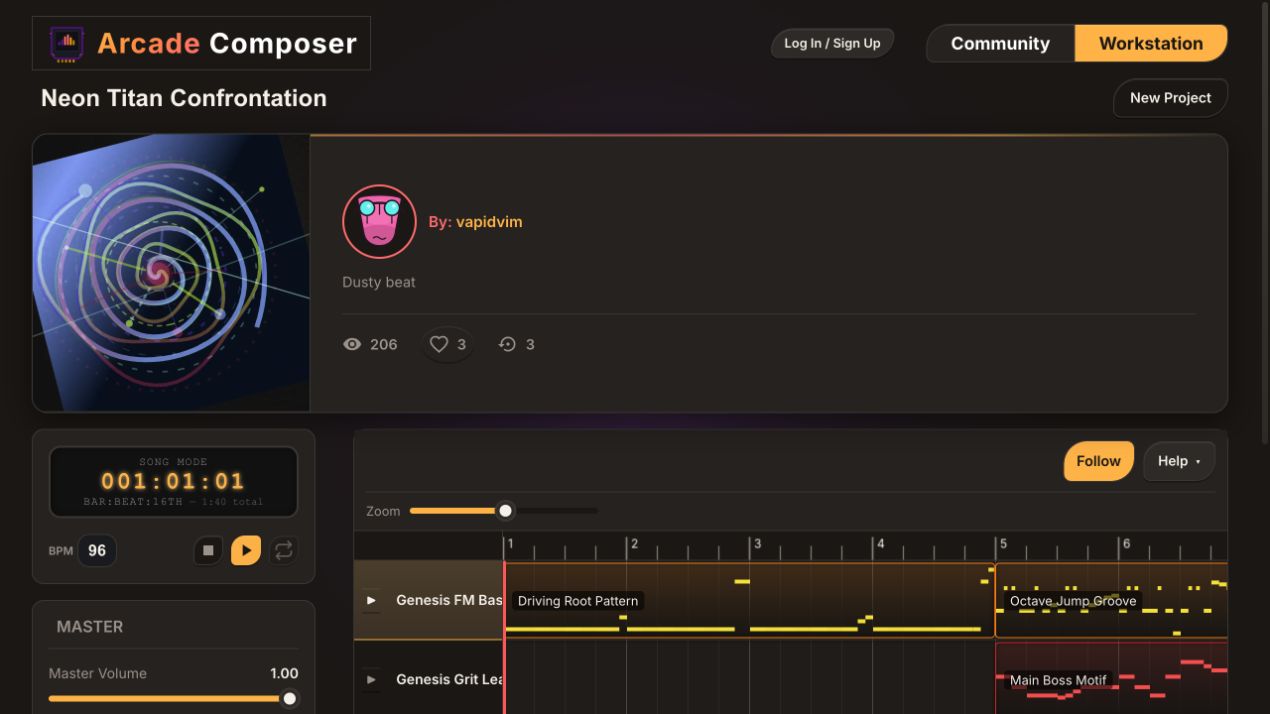
ArcadeComposer’s pattern sequencer and song arrangement timeline are built around loops and reusable clips from the start. An instrument can hold multiple patterns — a calm variation and an intense variation of the same part — and those patterns become reusable clips placed on a song timeline.
That means an adaptive structure such as intro, core loop, intensified loop, and transition stinger is a normal arrangement task, not a post-processing trick performed on a finished audio file. A generated AI Composer arrangement inherits this same structure automatically, since it is built from patterns and clips like any other project.
Export reinforces this: tracks render to WAV, MP3, or OGG with automatic silence trimming and loudness normalization, and you can export the full render, just the seamless loop region, or a split intro/loop pair.
OGG in particular is a standard Unity and Godot format, so a loop built and exported this way can go directly into a game engine without a manual re-edit pass.
Console-Accurate Sound Design, Not an Approximation
Where many AI generators produce a generic “chiptune-flavored” sound, ArcadeComposer’s synth engine models actual console hardware behavior: an NES-accurate stepped triangle waveform, a 15-bit LFSR-driven noise channel with long mode and short/metallic mode instead of white noise, 4-bit-style Game Boy DMG wavetables, and a nonlinear pulse/triangle-noise-DMC mixer built from the same curves documented for real NES audio hardware.
A 28-table wavetable bank covers Game Boy, PC Engine HuC6280, Atari POKEY, SID-style, SNES-style, VRC6, N163, and Genesis FM-style character. If a project needs to sound like a specific console generation rather than “retro in general,” that distinction is available at the oscillator level, not applied as a filter afterward.
Real MIDI I/O
ArcadeComposer supports MIDI input from external controllers, per-instrument MIDI output routing by device and channel, MIDI learn for mapping hardware controls to synth parameters, and MIDI recording during playback.
One-click generators have no equivalent. There is no hardware in the loop at all, because there is no live instrument to play.
A Synth Engine and Editor Underneath, Not Just a Renderer
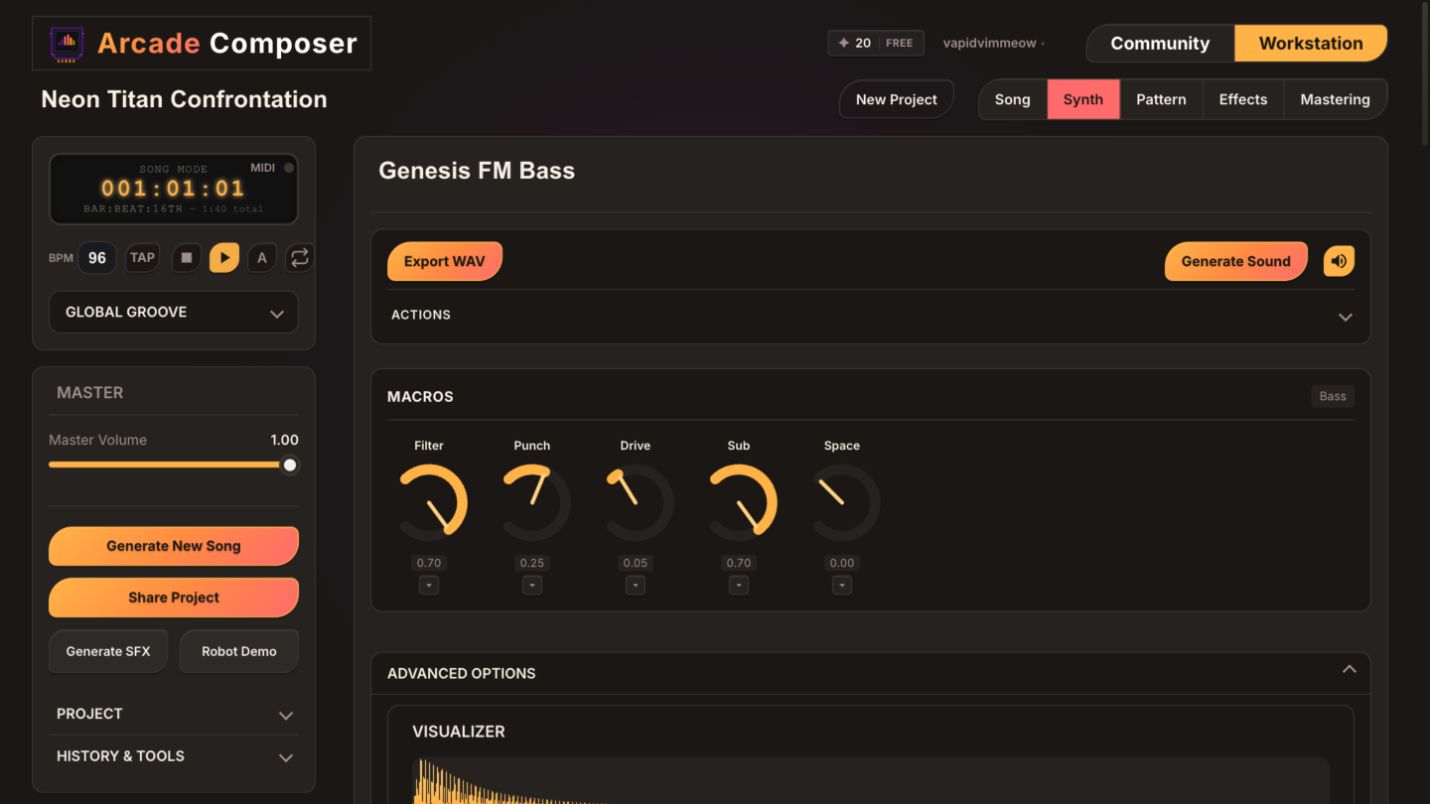
Every instrument in ArcadeComposer is a real, editable synth voice — built on native Web Audio nodes with optional Faust WASM DSP for voices, master chain, and effects. Each instrument category, including Bass, Keys, Leads, Pads, and Percussion, exposes five macro knobs mapped to its most important parameters, so shaping a preset or an AI-generated part into something specific takes a few knob turns, not a full prompt rewrite.
Automation lanes let any parameter move over time — a filter sweep, a rising delay send, an evolving pad — the kind of detail that separates a track that “sounds AI-generated” from one that was actually finished by a composer.
Mastering is built the same way: presets like Transparent, Warm & Full, Bright & Present, Electronic, Lo-Fi Tape, Wide & Immersive, Loud & Aggressive, and Hip-Hop cover modern styles, while NES, SNES, Game Boy, Genesis, PS1, and Arcade FM presets shape EQ, saturation, and limiting to match that specific hardware generation’s character.
Transparent, Tiered Cost — Not Per-Generation Guesswork
ArcadeComposer’s AI features run on a visible credit system rather than an opaque per-song charge: a full song generation costs more credits than an arrangement pass, a layer addition, a single pattern, or a single preset. That means fixing one part of a project costs a fraction of regenerating the whole thing.
Monthly credit allowances scale across a free tier and paid Creator and Pro tiers, and the free tier includes a real allowance rather than a one-time trial.
A Home for the Finished Project, Not Just a Download
Because projects are saved to the cloud rather than only exported as a static file, they stay editable across sessions and devices. Come back days later and every instrument, pattern, and automation lane is still there to adjust.
ArcadeComposer also includes a community feed, radio mode for continuous playback of shared projects, and artist profiles, so a finished track has a place to live and be discovered beyond a local download folder.
Game-ready AI music checklist
- Can the core section loop without an audible seam?
- Can individual notes, instruments, and patterns be revised?
- Can the arrangement support calm, intense, and transition states?
- Can one weak layer be replaced without regenerating everything?
- Can you export both engine-ready audio and portable MIDI?
When to Use Which
One-click AI generators are a reasonable choice for a quick, disposable background bed where looping, adaptive structure, and hands-on editing do not matter — a placeholder track for a rough cut, a one-off ambient clip for a non-interactive scene.
But for actual game audio — a boss theme that needs a phase change, a town theme that has to loop for an hour without grating, a biome track that needs console-accurate character, or any soundtrack that will need revisions after a playtest — a prompt-to-audio-file pipeline runs out of road fast.
ArcadeComposer is built for that second case: use the AI Composer, AI Arranger, or AI Layer Generator to skip the blank-canvas problem and get a real, structured starting point, then finish the job with the same synth engine, macro knobs, pattern sequencer, automation, MIDI I/O, and mastering chain a composer would use to build a track entirely by hand.
AI accelerates the first draft. The workstation underneath turns it into a finished, game-ready soundtrack.