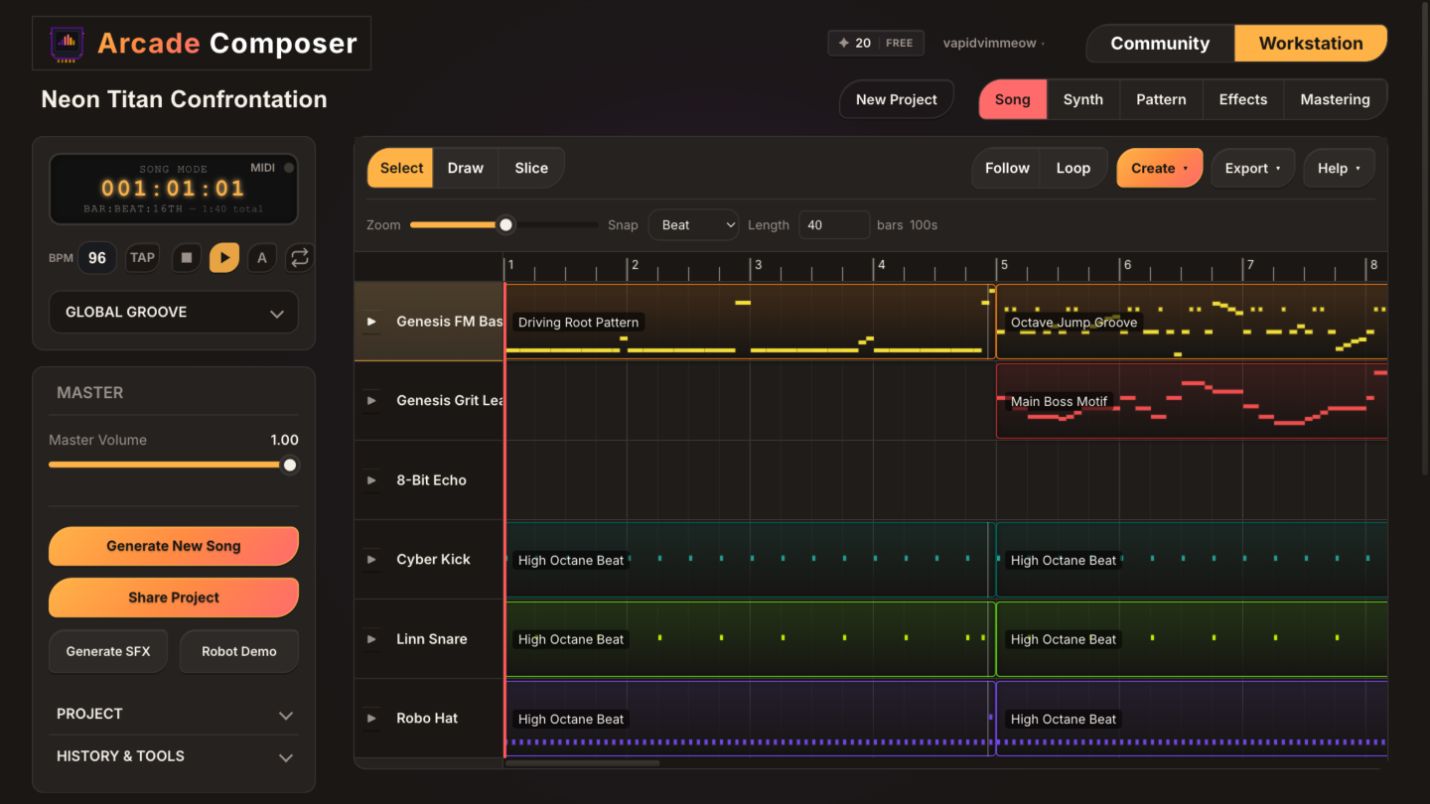
Game jams do not budget time for music. You have a build to finish, an itch.io page to write, and maybe an hour left before submission — and the game still needs a title screen loop and a level theme. Writing either from scratch in a traditional DAW, even for an experienced composer, eats time you do not have.
ArcadeComposer is built to compress that timeline down to minutes instead of hours: a text prompt turns into a full multi-instrument arrangement via AI Composer, and the same browser-based synth engine, mastering chain, and exporter that power the rest of this blog turn that arrangement into a game-ready audio file — without leaving the tab.
This post walks through a real, timed workflow: prompt to export in under 10 minutes, with a couple of minutes of buffer for a second track if your jam needs more than one loop.
Why This Workflow Fits a Jam Timeline Specifically
Most music tooling advice assumes you have an afternoon. A jam gives you none of that, so the workflow below is built around three constraints that are unique to jam conditions:
- No time for sound design from zero. You need a usable starting point in seconds, not after auditioning oscillators.
- No time for a learning curve. Every step should be a button, a slider, or a short text prompt — not a menu you have to look up.
- No time for format conversion. Whatever comes out of the export needs to drop into Unity, Godot, or your engine of choice immediately.
The AI Composer, macro knobs, mastering presets, and OGG/WAV/MP3 export covered elsewhere on this blog already solve each of those individually. What follows is how they chain together into a single sub-10-minute pass.
Jam constraints define the workflow
You do not have time to design every sound, learn a new production stack, or convert files after export. Every step should either improve the musical idea, fix one obvious problem, or move the finished loop into the game.
Minute 0–2: Generate a Full Arrangement With AI Composer
Skip the blank project entirely. Open AI Composer and describe the scene in a sentence. For example, “upbeat 8-bit overworld theme, driving bassline, hopeful lead melody” or “tense low-health boss phase, distorted bass, fast arpeggio” is enough detail for a first pass.
Two additional choices shape the result without adding real time:
- Persona: a compositional style bias like Maestro, Retro Futurist, 8-Bit Bard, Arcade Action Hero, Lo-Fi Beatmaker, or Game Score Composer, among others. Picking the persona closest to your game’s genre gets you closer to usable on the first generation.
- Song structure template: Verse-Chorus, AABA, 12-Bar Blues, ABA, Loop-Based, or Developing/through-composed. For jam music, Loop-Based is usually the right call since it is built for the seamless-repeat structure games actually need, rather than a song with a beginning, middle, and end.
A song generation costs 10 credits. The free tier includes a 30-credit monthly allowance, so a jam weekend easily covers a few full generations plus some smaller fixes.
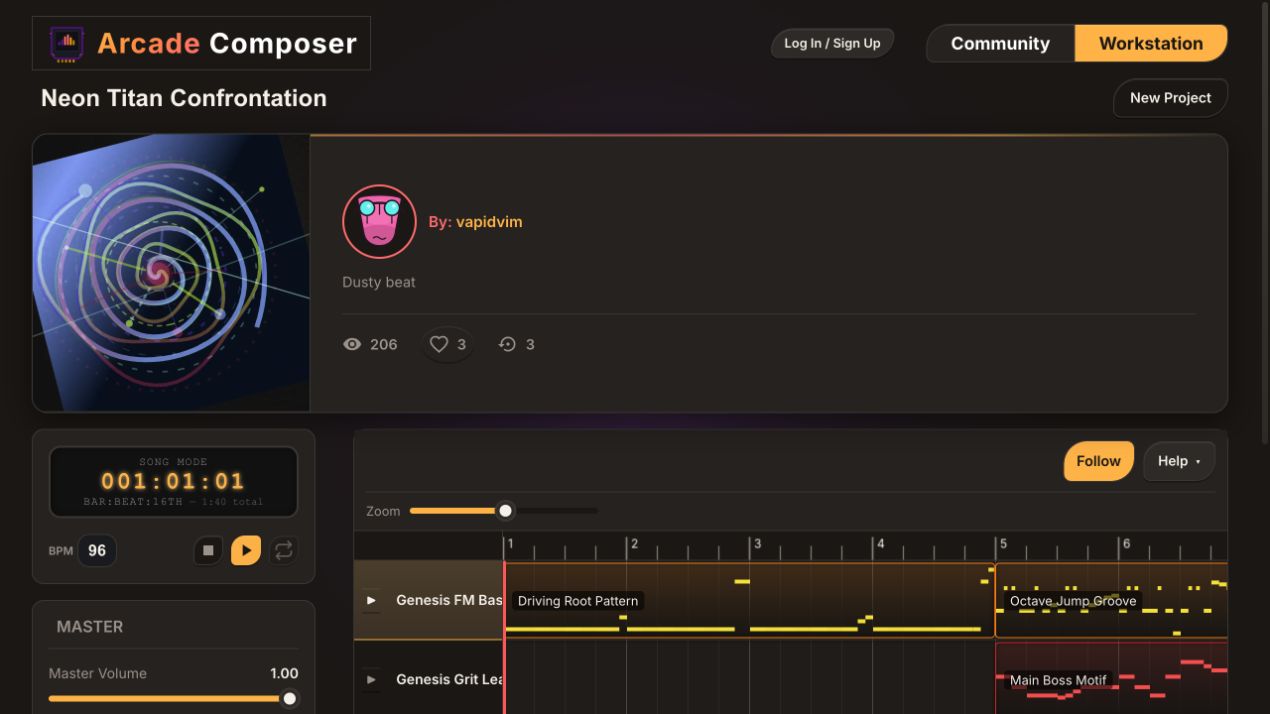
What comes back is not an audio file — it is a full project: instruments, patterns, and a song arrangement already placed on the timeline, ready to edit like anything built by hand.
Minute 2–4: Fix the One Thing That Is Off, Not the Whole Song
A generated arrangement is rarely perfect on the first pass, but under jam time pressure the fix is almost never “regenerate and hope.” Instead, target the specific part that is wrong:
- Wrong bassline or an instrument that does not fit: AI Layer Generator can regenerate just that layer for 3 credits while leaving everything else untouched.
- Arrangement feels flat or too short to loop well: AI Arranger restructures the existing patterns into a fuller timeline for 3 credits without touching your instrument sounds.
- One pattern is close but the rhythm is wrong: AI Pattern Generator can quantize, transpose, humanize, or re-time just that pattern for 2 credits.
Each of these is a fraction of the cost and time of a full re-roll, because you are only regenerating the piece that did not work. If everything landed reasonably well on the first generation, skip this step entirely and save the two minutes.
Minute 4–6: Shape the Sound With Macro Knobs
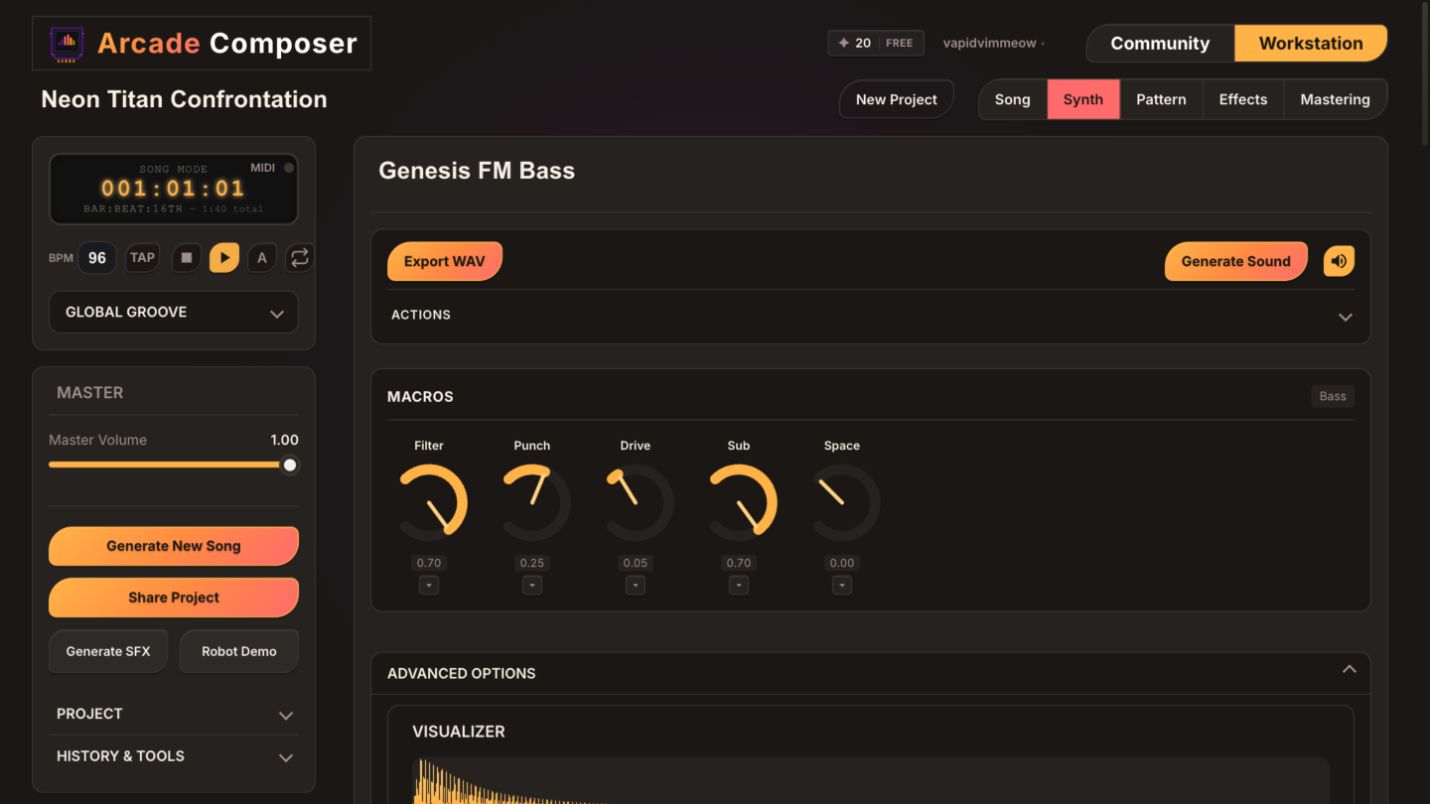
This is the fastest lever for making a generated track sound intentional instead of “AI-generated.” Every instrument category — Bass, Keys, Leads, Pads, Percussion — exposes five macro knobs mapped to the parameters that matter most for that role. You do not need to open a deep parameter panel:
- Open the lead or the instrument carrying the melody first — it is what a playtester notices most.
- Turn one macro for tone, brighter or darker, until it matches the scene.
- Turn one macro for movement or space so it does not sound static.
- Repeat quickly for the bass and pads if time allows. Otherwise, move on.
Two minutes of macro knob turns across two or three instruments is usually enough to make a generated arrangement feel deliberate rather than default. This is the same technique covered in more depth in this blog’s soundtrack-sketching post — it works whether the starting point was built by hand or generated.
Minute 6–8: Master With a Console-Matched Preset
Do not build a mix from individual effects under time pressure — apply a mastering preset and move on. The preset list covers both modern styles and console-specific curves.
Modern options include Transparent, Warm & Full, Bright & Present, Electronic, Lo-Fi Tape, Wide & Immersive, Loud & Aggressive, and Hip-Hop.
Console-specific options include NES, SNES, Game Boy, Genesis, PS1, and Arcade FM, each tuned to that hardware generation’s EQ, saturation, and limiting character.
If your jam game has a visual art style tied to a specific era, matching the mastering preset to it is a one-click way to make the music feel cohesive with the art without manual EQ work.
One preset, maybe a small width or loudness adjustment afterward if something feels obviously off — that is the full mastering pass. This step should take under a minute in practice; the two-minute window is buffer, not a requirement.
Minute 8–10: Export Straight Into Your Engine
Export renders to WAV, MP3, or OGG, with per-format quality controls, automatic silence trimming, and loudness normalization already applied. There is no separate cleanup pass before the file is usable.
For a jam:
- OGG is usually the right export choice if you are dropping the file straight into an engine’s audio import folder, since Unity and Godot both support it natively.
- Export just the seamless loop region rather than the full render if your engine handles looping itself and you do not want lead-in silence or a fade baked into the file.
- Export a split intro/loop pair if your game needs a one-time intro before the music settles into its repeating section — a common pattern for title screens and level-start stingers.
If you also want the notes themselves — to hand to a bandmate, drop into a notation program, or bring into another DAW for a post-jam polish pass — export a standard MIDI file alongside the audio. It is a faithful transcription of the whole arrangement, not just one pattern, and costs nothing extra to generate.
That is the full loop: a text prompt becomes a finished, engine-ready audio file in one sitting, with room to spare for a second track if your jam needs both a menu theme and a gameplay loop.
A 10-Minute Jam Checklist
- Write a one-sentence prompt describing the scene; pick a persona and Loop-Based structure. 0–2 minutes
- Generate with AI Composer. 10 credits
- If one part is off, fix just that part with AI Layer Generator, AI Arranger, or AI Pattern Generator. Skip if the first pass is good. 2–4 minutes
- Turn 2–3 macro knobs on the lead, bass, and pads. 4–6 minutes
- Apply one mastering preset, matched to your game’s era if it has one. 6–8 minutes
- Export to OGG for engine import, or WAV/MP3 for elsewhere. Export MIDI too if you want the notes portable. 8–10 minutes
- Save the project to your account before the jam deadline, in case you want to revisit it after submission.
Where the Extra Time Should Go If You Have It
If you finish the loop above with time left on the clock, the highest-value next steps in order are:
- A second pattern variation on the same instruments for a calm/intense contrast, useful for a health-based intensity shift.
- A short transition stinger clip between the two.
- MIDI learn mapping if you have a MIDI controller handy and want to play in a live lead line rather than programming it step by step.
All three build directly on the project you already generated. None of them require starting over.
Frequently Asked Questions
Do I have to use AI Composer, or can I build the track by hand in the same amount of time?
For most people, generating a first draft and editing it is faster than building from a blank project, which is why this workflow leads with it. But every step after generation — macro knobs, mastering, export — works exactly the same starting from a preset instead of a generation, so the back half of this workflow applies either way.
What if the free tier’s credits run out mid-jam?
The free tier includes a 30-credit monthly allowance, enough for roughly three full song generations or a mix of smaller fixes. Layer, arrangement, and pattern regenerations cost less than a full song. If a jam weekend needs more than that, Creator and Pro tiers scale up from there.
Will a 10-minute track sound generic?
The macro knob and mastering steps exist specifically to avoid that. A few targeted knob turns and a console-matched or genre-matched mastering preset are usually enough to make a generated arrangement sound like a deliberate choice rather than a default output. It will not replace a full composition pass, but for jam purposes it reliably clears the bar of “sounds intentional, not generic.”
Can I keep working on the track after the jam ends?
Yes. Projects save to a cloud account, so a track built in a 10-minute jam sprint can be reopened afterward for a deeper pass — more pattern variety, automation, additional layers — without losing anything from the original session.
What if my game needs music that changes with gameplay state, not just one loop?
The 10-minute workflow above produces one solid loop. If you have the extra time noted above, building a second pattern variation per instrument and arranging both on the song timeline gets you a basic adaptive structure, such as calm versus intense, without much more time investment, since AI Arranger and the timeline are built around exactly that kind of clip-based structure.
Ship the Jam, Keep the Track
A game jam does not leave room for a music production learning curve, and it should not have to. A prompt, a few macro knob turns, one mastering preset, and an export is a complete, professional-enough pipeline for a jam deadline.
And because everything generated or built along the way lives in a real, editable project rather than a one-off rendered file, there is nothing stopping you from opening it back up after submission and finishing it properly.